
All Versions of Honista
Over the years, there have been many alterations in the Honista APK. Older versions are still held by the special class of people, including myself. In previous years, Honista provided different updates
This page brings you all the versions from Latest to oldest.

Version 11.1
104.21 MB
Android 9
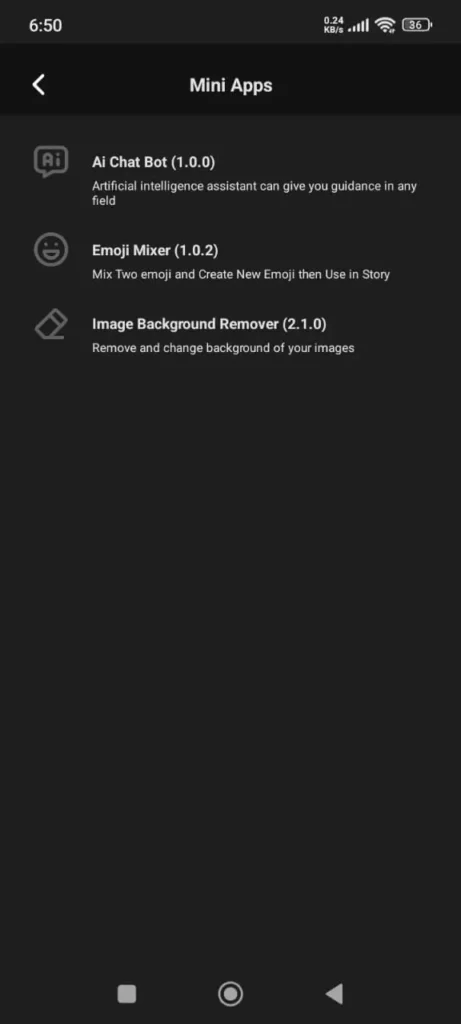 AI Chat Bot
 Honista APK Get Started
 React to Stories With Avatar
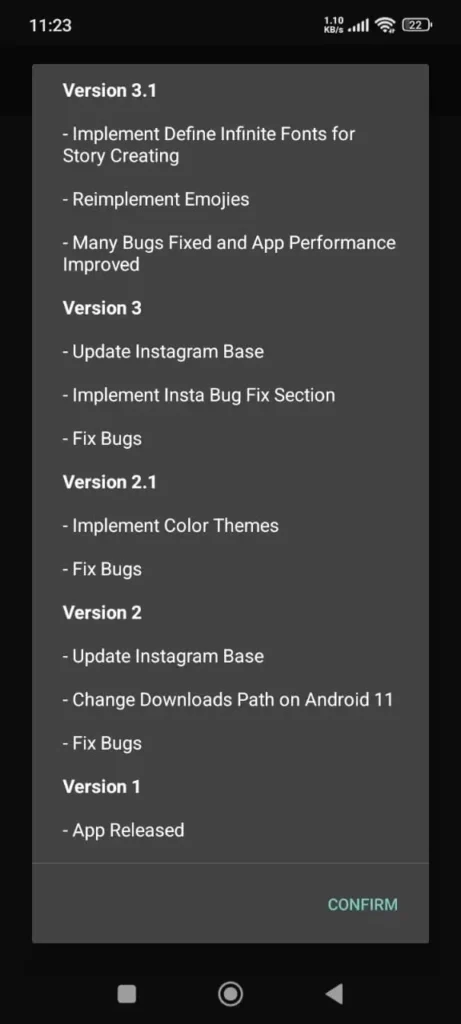 Version3.1-Version1
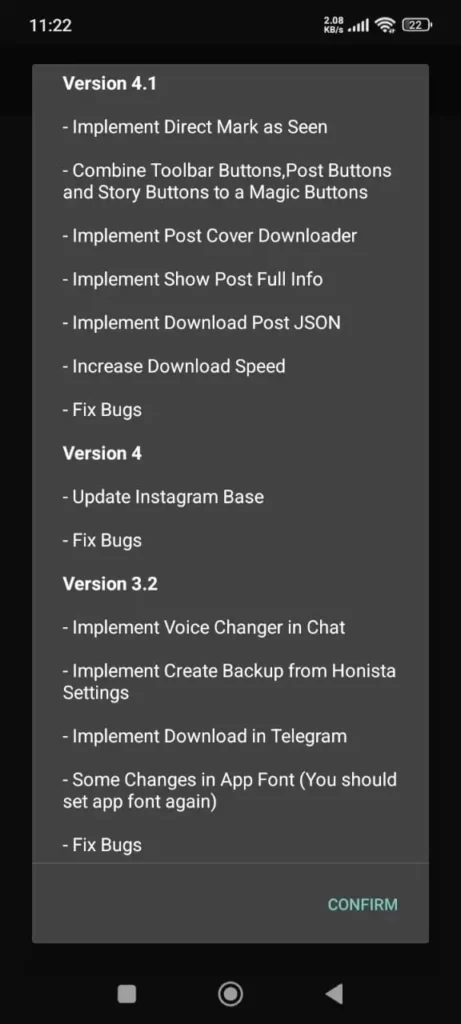 Version4.1-Version4
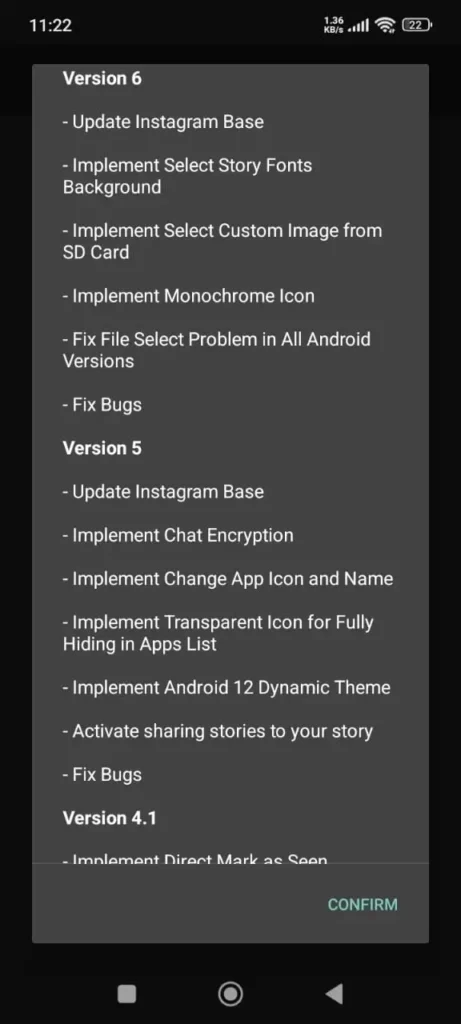 Version6-Version5
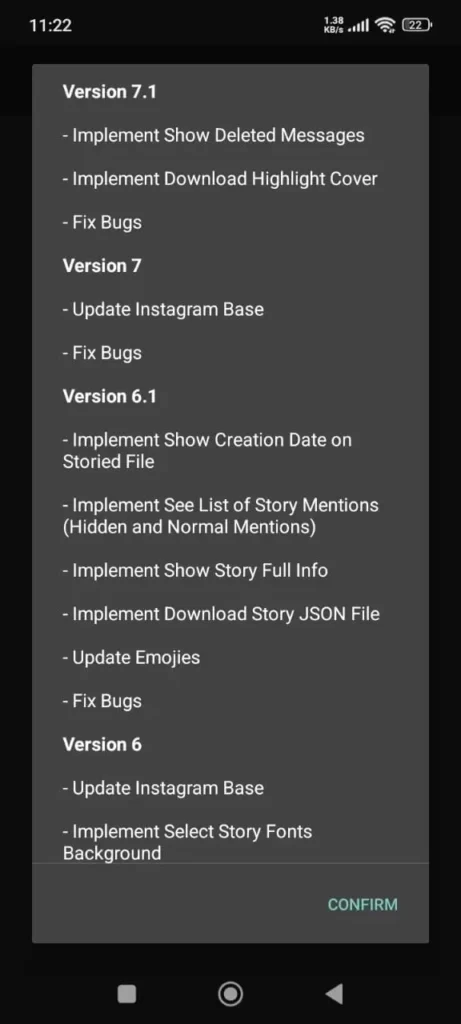 Version7.1-Version6.1
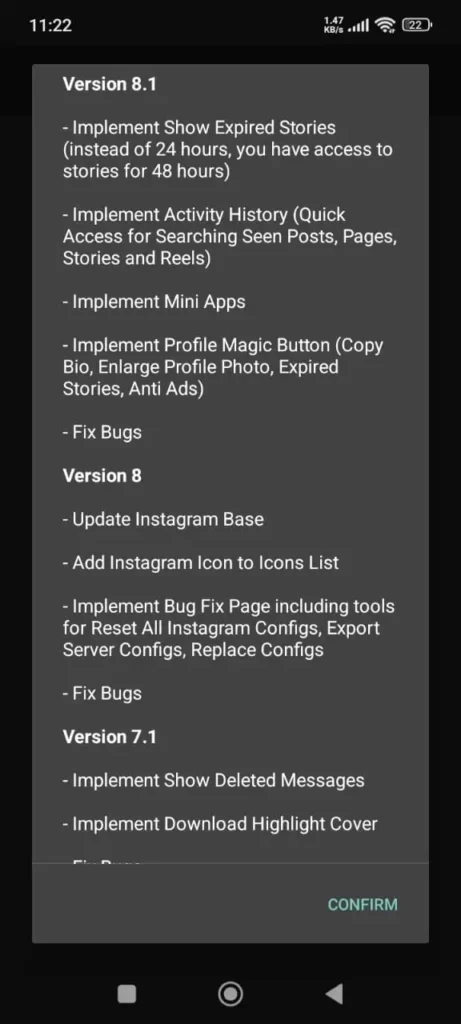 Version8.1-Version8
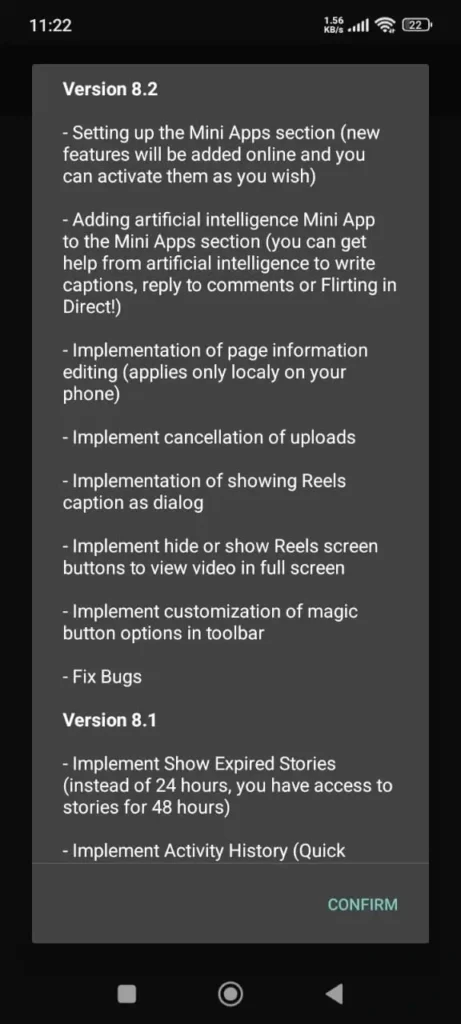 Version8.2
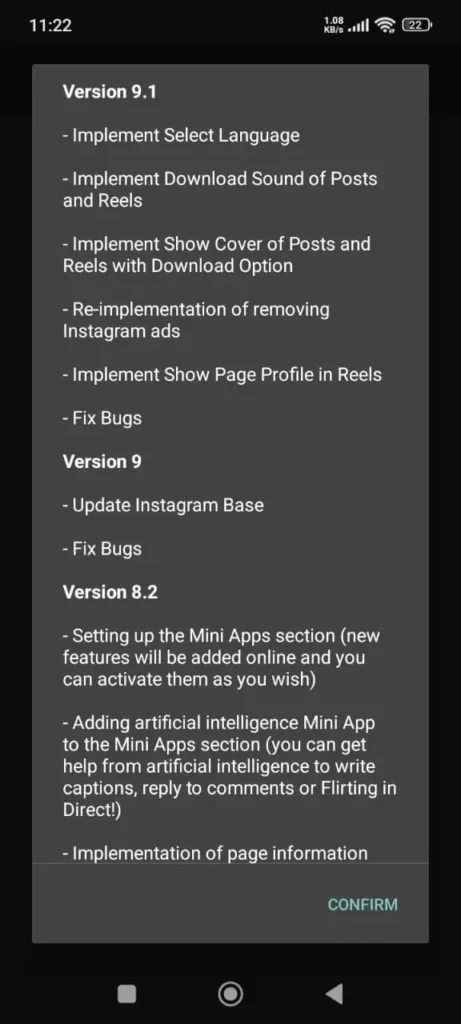 Version9.1-Version9
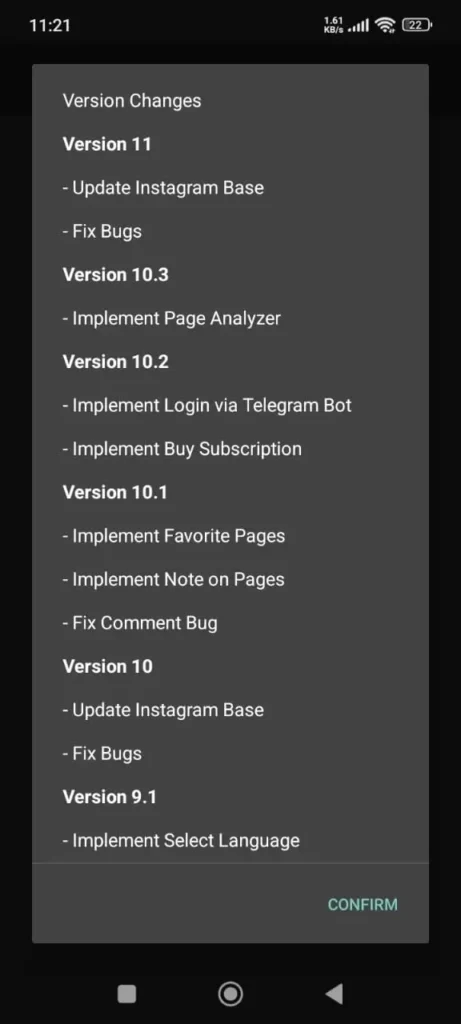 Version11-Version10
Improved System
Page Analyzer
Enhanced Stability
NO Ads
Bug Fix
Download Old & all versions of Honista
Version 11.0
105 MB
Android 9
Version 10.3
97.0 MB
Android 9
Version 10.2
96.6 MB
Android 9
Version 10.1
96.6 MB
Android 9
Version 10
94.2 MB
Android 9
Version 9.1
98.8 MB
Android 7.0
Version 9.0
94.2 MB
Android 7.0
Version 8.2
79.1 MB
Android 7.0
Version 8.1
79.1 MB
Android 7.0
Version 8.0
71.2 MB
Android 7.0
Version 7.2
80.7 MB
Android 7.0
Version 7.1
71.2 MB
Android 7.0
Version 7.0
71.2 MB
Android 7.0
Version 6.1
71.2 MB
Android 5.0
Version 6.0
71.2 MB
Android 5.0
67.0 MB
Android 5.0
Version 4.1
61.2 MB
Android 5.0
Why Do Many Users Still Prefer Older Versions?
Some specific class of user still likes the old edition of Honisa. Because they are too familiar, compatible with the device, and user-friendly. They are more comfortable with this.

More Stable and Trusted Performance
Previous releases are commonly chosen because they are stable. A lot of people tested these and awarded the great one. On the other hand, developers have also spent most of the time removing bugs and errors on all versions.
Works Better on Older Phones and Devices
Most of the people are using old phones and are comfortable with them. Past apps are compatible when newer variants may not work properly. Its software is running smoothly and is suited for hardware as well.
Simple and Familiar Look That Users Know
Honista’s layout is already familiar to users. A familiar design is easier for users to navigate. New updates change the UI design and learning methods on all versions.
No Forced Updates or Unwanted New Features
All versions new update has its own best updated feature. These may include different features like advertisement, app operation, and keyboard changes. Users avoid converting in the new update because it’s not comfortable.
Uses Less Battery and System Resources.
The best thing about all versions is that it consumes less battery and uses less storage. This helps your device manage background activity. That’s why it runs smoothly.
Stable Features That Don’t Constantly Change
When the app is updated, new features take the place of the earlier ones. People enjoy viewing reels and stories in the previous layout. They don’t need to learn the new things.
Saves Mobile Data While Using the App
Many updated features introduce more activities in the background that use more mobile data. Former variants use less data. Now you can save data and save mobile costs.
Better Control Over Privacy Settings
Honista all versions has increased the privacy settings in its updated version. It can cause the identification of yourself, which can raise privacy concerns. If you are using the former, it does not raise the privacy concerns.
Fewer Bugs and Compatibility Issues.
After new changes are made to the app, users might face problems with other apps or services they use every day. Going back to a past build it can help avoid these issues and make sure everything works well together.
Proven and Trusted Over Time
Honista all versions is a widely used. The older of the Honista has been reliable; that’s why it is easy to trust. Many people use it with confidence. It always works fine and runs smoothly.
How to Download old & all versions
To download Old & all Versions from this site, you have to follow these simple steps:
Enable Unknown Sources
Go to Settings > Security on your phone and turn on “Install apps from unknown sources.”
Download Honista APK (2025)
Download it from the website from the Former Version tab.
Find the APK File
Find it in File Manager and go to the Downloads folder.
Install the App
For installation, tap on the Honista APK file.
Launch and Enjoy
After installation, open it, log in or create an account, and enjoy the upgraded experience!
Pros and Cons of Old Versions
| Pros | Cons |
| The old edition is more stable and flexible. | New builds have their own updates that have recent features and improvements. |
| The user likes its experience with software and hardware | Older variants may have security risks, putting users’ data at risk. |
| Older devices cannot handle the newer build, which is capable of every user. | The newer type is compatible with every device update, making it brighter. |
About the Author
Ryan Matthews App Reviewer & SEO Specialist with over 5 years of experience in writing about Android apps, APKs, and digital tools. He specializes in simplifying complex software into clear, user-friendly guides. His goal is to help readers stay safe while exploring new apps and to provide honest, practical reviews backed by real testing.